Transfer edge functions from one project to another
This guide shows how you can transfer your Edge Functions from one project to another using the Supabase CLI or the Supabase Dashboard.
Pre-requisites#
To follow through this guide, you need the following:
- You must have the right access privileges to both the source and target project
- You must have installed the Supabase CLI tool
- Both source and target projects must be active
Steps (using the Supabase CLI):#
- Login to your Supabase account (the account with the functions) using your terminal
1supabase loginThis should open up a web page with an access code. Copy the code, paste it in your terminal, and hit enter.
- List all Edge Functions by running the following command
1supabase functions list --project-ref your_project_ref- Download the function
1supabase functions download function_name --project-ref your_project_refRepeat this step to download multiple functions.
This downloads the function(s) into supabase/functions. You can view the downloaded function(s) by running
1ls supabase/functions- Link to the target project
1supabase link --project-ref your_target_project_ref- Deploy function(s) to target project
1supabase functions deploy --project-ref your_target_project_refThis deploys all functions within the supabase/functions to the target project. You can confirm by checking your Edge Functions on the project dashboard
Steps (using the Supabase Dashboard):#
-
In the source project, navigate to Edge Functions from the side menu
-
Using the
Downloadbutton, download your desired function as zip: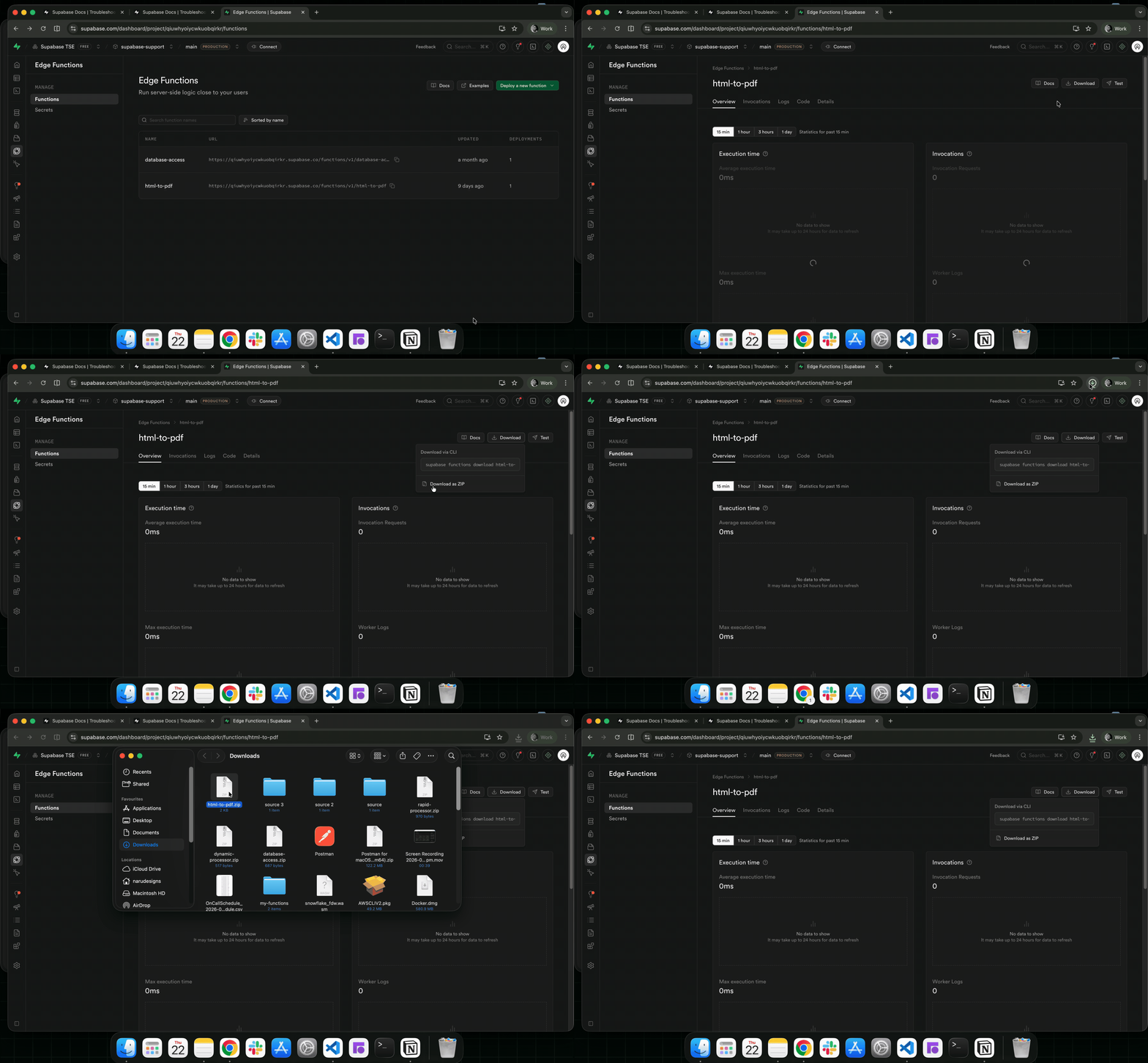
-
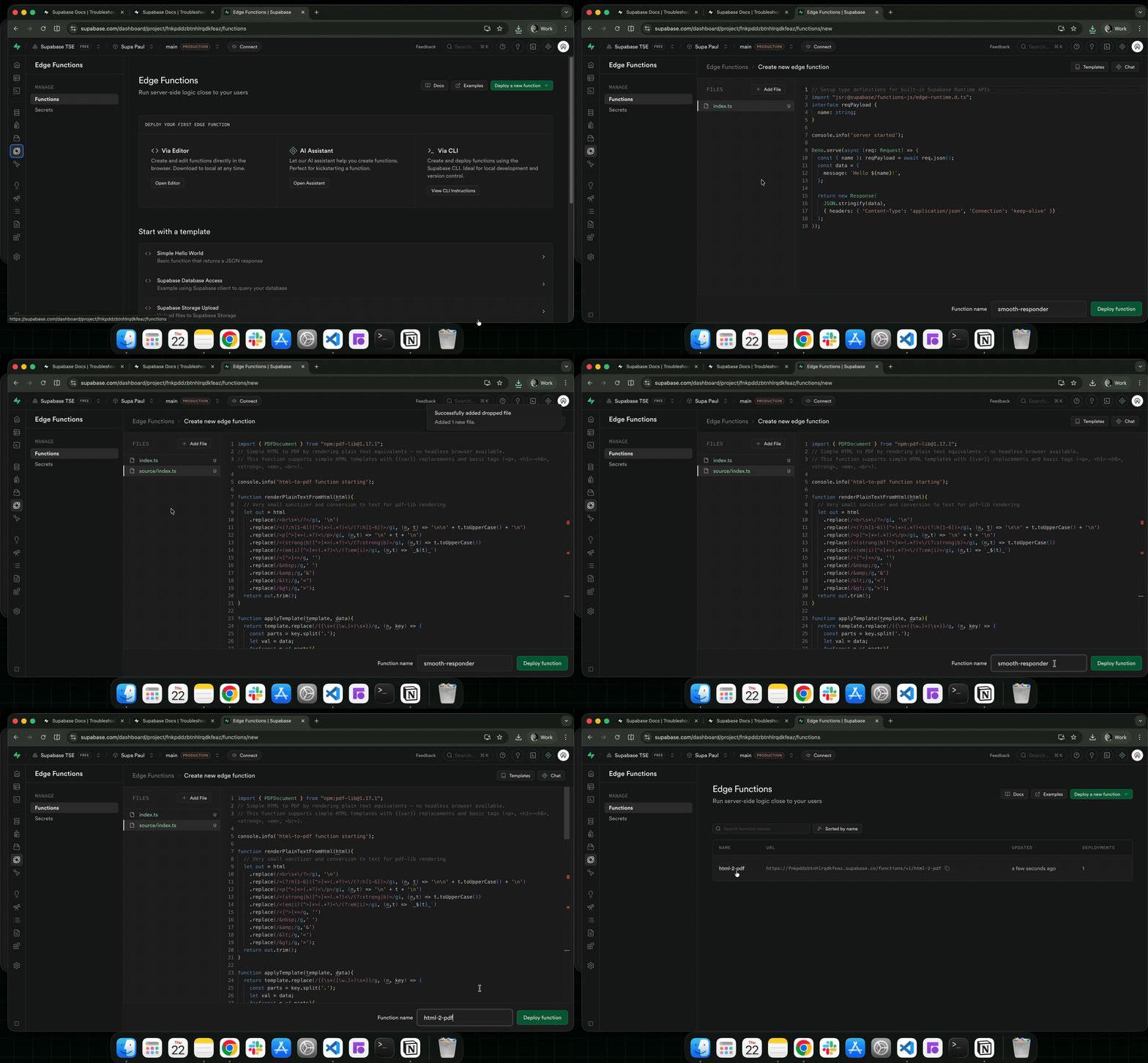
In the target project, navigate to Edge Functions from the side menu
-
Click on the
Deploy a new functionbutton, select Via Editor operation -
Drag and drop your downloaded function (the zip function from step 2) into the editor
-
Add your function name and click on the
Deploy functionbutton to deploy the function:
With this, you can transfer your edge functions between your Supabase projects.